
When Followers start to copy a Master Trader, they need to select the copy mode and set up their copy trade settings. For more information on how to start copying a Master Trader, or how to edit the settings, please refer here.
Here’s a detailed explanation and examples of each Copy Mode and Copy Trade setting.
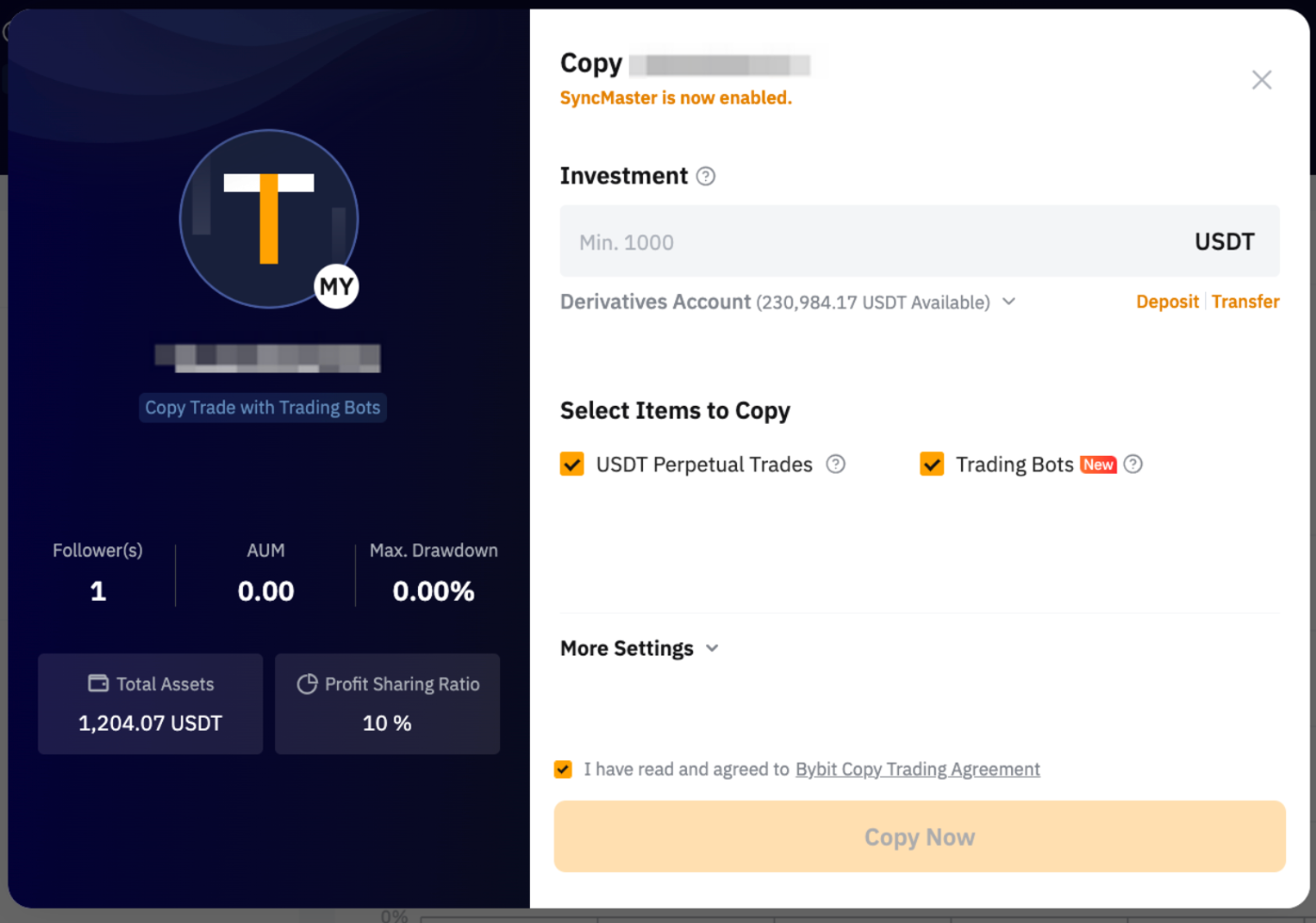
SyncMaster
SyncMaster allows Followers to precisely mirror their Master Trader's Copy Trading parameters, aligning their Copy Trading Classic experience with the expert's strategy and risk management.
If you see SyncMaster is now enabled status for your Master Trader, it means that this Master Trader has enabled Forced Sync features. Followers can no longer modify the Copy Trading Classic parameters for USDT perpetual trading. If Forced Sync is not enabled, Followers can modify Copy Trading parameters when they follow, and your settings will only serve as recommended parameters for the Followers.
Please note that when your Master Trader has selected both USDT Perpetual Trades and the trading bot to copy for followers, the Trading bot will be auto deselected if a Trailing Stop is set up.
For more information, please refer to SyncMaster Features (Copy Trading Classic).
Parameter Settings
More Settings (Optional)
Trading Bot
By default, the Copy Existing Bots is enabled. If followers choose to copy existing bots, the system will copy the parameters of the Master Trader's existing Trading Bots to achieve similar results. However, the below reasons may result in the existing bots not being copied.
- The market conditions have changed significantly after the Master Trader initially created the bot, and it is no longer suitable, those Bots will not be copied. For example, the entry price of the follower’s position created by the copied trading bot will be worse than the Master Trader’s. In this case, the Master Trader’s trading bot will be deemed as not suitable to be copied.
- Followers have insufficient funds to copy the bot.
The system regularly checks and will copy the bot if the entry price for the position created by the trading bot is more favorable than the Master Trader’s or when followers increase their investment.
Please be aware that you are unable to select Copy Mode or configure parameters for the Trading Bot within Copy Trading Classic. The trading bot is consistently copied using Smart Copy mode, which invests an amount in the copied trading bot based on a fixed ratio derived from the Master Trader’s order cost and available balance or the minimum investment amount required to create the bot, whichever is higher.
USDT Perpetual Trades
- Follow Trader's Leverage: Apply the same leverage as the Master Trader when copying orders. For example, if a Master Trader opens a position in BTCUSDT with a leverage of 100x, the same leverage multiple (100x) will be applied to your copy position. However, please note that the leverage may not be copied successfully if you have insufficient balance for the increased margin required for lower leverage.
- Fixed Leverage: All trades will be copied based on fixed leverage. For example, if the fixed leverage is set to 5x, regardless of the amount of leverage used by the trader, your position leverage will remain at 5x.
- Custom Leverage: Customize your leverage for specific contracts. Assuming that you have positions in BTCUSDT and ETHUSDT, if the leverage is set to 20x and 10x, respectively, regardless of the amount of leverage used by the trader, your position leverages will remain as specified.
- Follow Master Trader's Setting: You will use the same Margin Modes as the Master Trader, and different Symbols may have different Margin Modes, depending on the Master Trader's settings.
- Cross Margin: With cross margin, the entire available balance in the corresponding margin account will be utilized to meet maintenance margin requirements and prevent liquidation. A hedging position is formed when both long and short positions are held on the same trading pair.
- Isolated Margin: With an isolated margin, a specific amount of margin, i.e. initial margin, is applied to each position, and the position margin can be manually adjusted as needed.
For more information, please refer to FAQ — Copy Trading Classic.